Backups Are the One Thing You Cannot Afford to Get Wrong
Every hosting provider has the same worst fear: a customer’s website disappears, and there is no good copy to restore. Maybe a hacker wiped the files. Maybe an update broke the database. Maybe a customer accidentally deleted their own site. Whatever the cause, when data is gone, the only thing that matters is whether you can bring it back. That is why your backup method is one of the most important choices you make as a host.
Quick summary
Looking for affordable server licenses? SharedLicense offers cPanel, DirectAdmin, LiteSpeed, CloudLinux, and Windows licenses at wholesale prices with instant delivery.
For years, the standard approach was simple and crude: copy everything, every night, to a second drive. These are called traditional backups. They worked, but they were slow, hungry for storage, and painful to restore from. Today, a newer approach has taken over the hosting world — tools like JetBackup that use smart, incremental backups and cloud storage.
In this post, we will compare JetBackup with traditional backups in plain terms. We will look at how they work, how fast they restore, and which one is better for modern hosting providers in 2026.
1. How Each Method Works (and Why It Matters)
To understand why JetBackup changed the game, you first need to see how old-school backups worked.
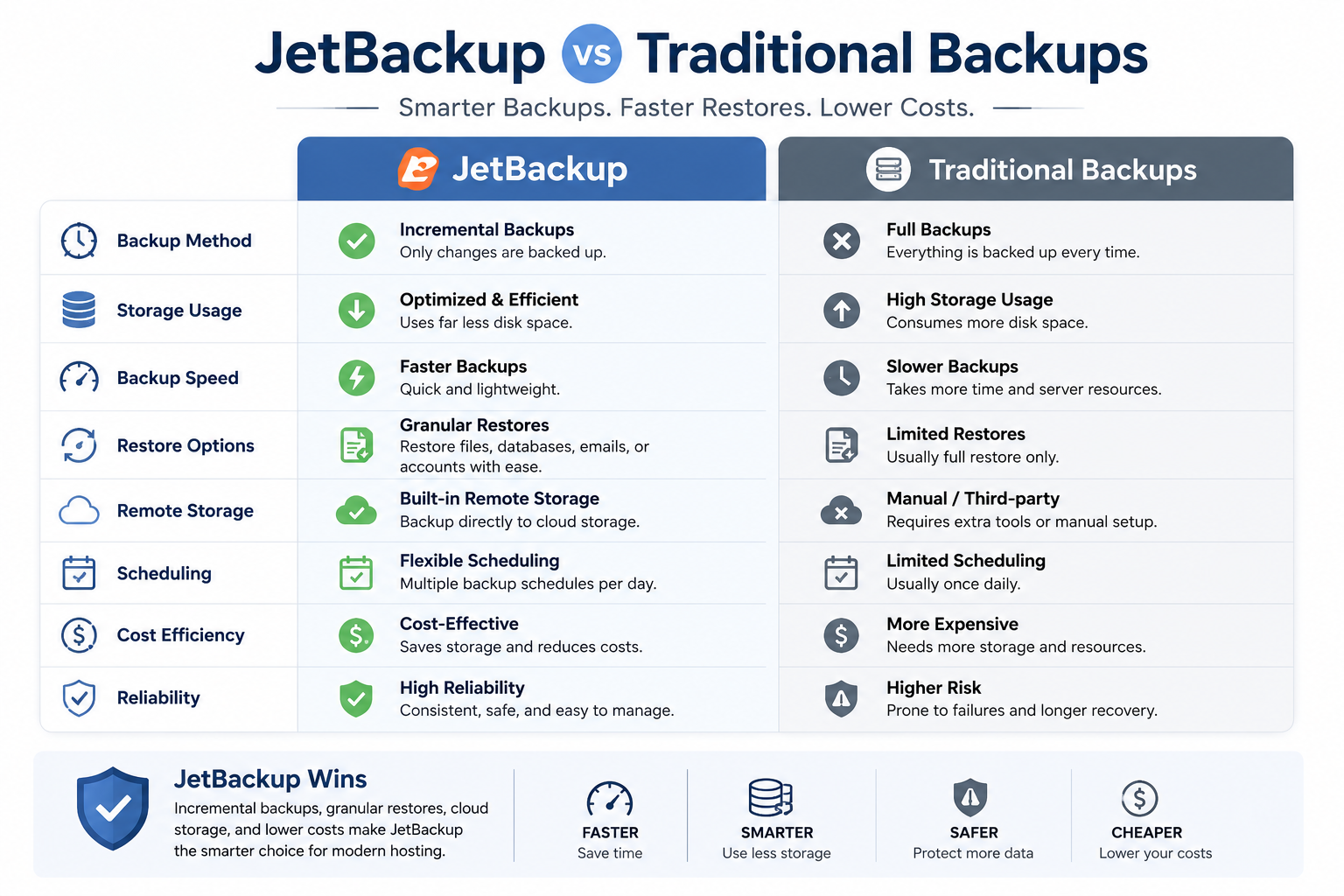
Traditional backups usually take a full copy of every file and every database, every single time they run. On the first night, that makes sense. But on night two, they copy everything again — even though 99% of the data has not changed since yesterday. By the end of a week, you have seven near-identical copies of the entire server eating up storage. This approach is simple to understand, but it wastes huge amounts of disk space, takes a long time to run, and puts heavy load on the server while it copies all that data. During a big backup job, your customers’ sites can slow down.
JetBackup uses incremental backups, which is a completely different idea. The first backup is a full copy, just like the old way. But every backup after that only copies the files and database rows that have changed since the last run. If a customer edits one image, JetBackup saves only that image — not their entire site again. This means backups finish in a fraction of the time, use a fraction of the storage, and barely touch the server’s resources. Your customers never notice the backup is even running.
The difference is dramatic. A traditional backup of a busy server can take hours and consume hundreds of gigabytes of extra space every week. JetBackup does the same job in minutes and adds only what is genuinely new. For a hosting provider with many accounts, this is the difference between manageable and impossible.
2. Storage, Cloud Integration, and Disaster Recovery
Where you store your backups is just as important as how you make them. Keeping your only backup copy on the same server as the live data is a disaster waiting to happen — if the server’s drive fails, both the site and the backup are gone together.
Traditional backups often live on a second local drive or an FTP server somewhere. This protects against file deletion, but it does not protect against bigger disasters like a full server failure, a data center problem, or ransomware that encrypts everything on the machine. Local backups are also limited by the size of the drive, which forces hosts to keep fewer backup versions.
JetBackup shines here. It is built to send backups straight to cheap cloud storage providers like Amazon S3, Wasabi, Backblaze B2, Google Cloud, and Dropbox. This means your backups live far away from your main server, safe from hardware failure and local attacks. Cloud storage is also very affordable, so you can afford to keep many versions of each backup — daily, weekly, and monthly — without breaking the bank. If your entire server disappears tomorrow, your data is still sitting safely in the cloud, ready to restore onto a new machine.
This is what real disaster recovery looks like. It is not just about having a backup; it is about having a backup that survives the same event that destroyed the original. Off-site, incremental, multi-version backups are the gold standard, and JetBackup makes them easy.


